
Two-player crossword
Solve one crossword grid with a friend at the same time, take turns scoring points in an Arrow duel, or send today’s 7×7 to a friend to solve later.
Solve a crossword together
Play a collaborative crossword online with one friend. You both see the same clues and edit the same grid, so you can work on an Across clue while your friend solves a Down clue. The letters either of you enters appear on both screens.
- Choose Create co-op room and copy the invite link.
- Send the link to your friend. They open it on their device and choose Join.
- Work through the clues together. When the grid is full, either player can submit it for a shared result.
Arrow duel
Play a turn-based crossword duel with a friend in your browser, with no download. Two players take turns placing letter tiles on the same grid. Correct letters and completed words earn points, and the higher score wins.
- Create a room. Send your friend the invite link or the six-character room code.
- Take turns placing letters. Tap a square and a tile to place it, then press Play. You can place up to five tiles and have 60 seconds to make your move.
- Build on the letters already there. Correct letters stay on the shared grid. Incorrect tiles return to your hand.
See the Arrow duel rules for scoring, swaps and how the game ends.
Challenge a friend to the same crossword
You each get the same 7×7 clues on a separate board. Your friend can solve later, even after you close the game.
- Finish today’s Daily, then choose Challenge a friend on your result and send the link.
- Your friend opens it and chooses Accept challenge. The link gives them seven days to finish the same puzzle.
- When you’ve both finished, open Friend challenges to compare times and hints.
How to join an Arrow duel
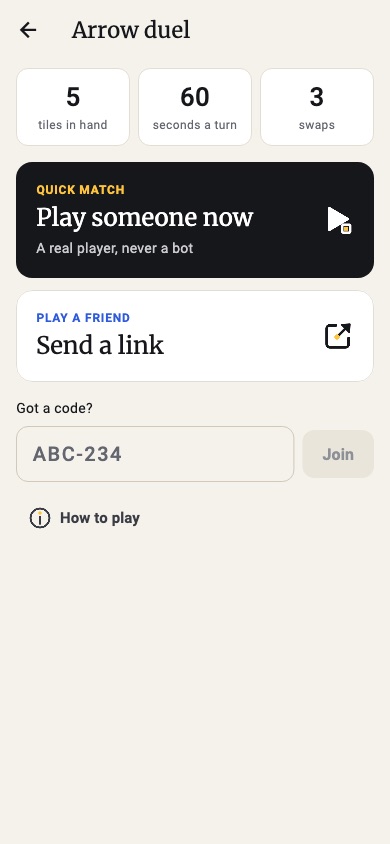
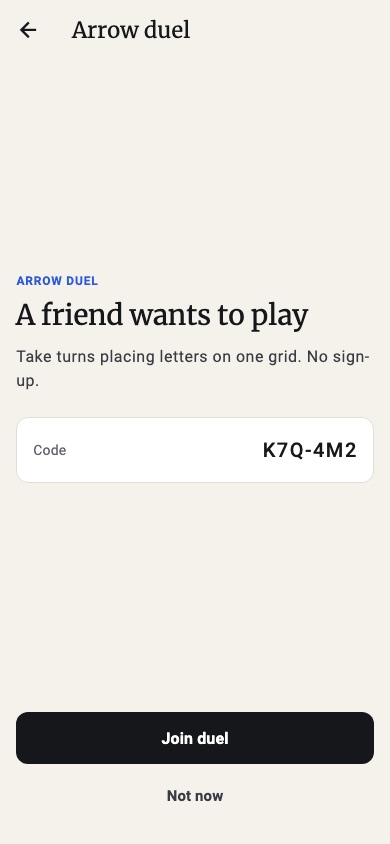
- Send the link when your friend is somewhere else. Share it in any chat app; it opens straight to the join page.
- Read out the code when you are on a call. Six characters, like K7Q-4M2, typed into “Got a code?”.
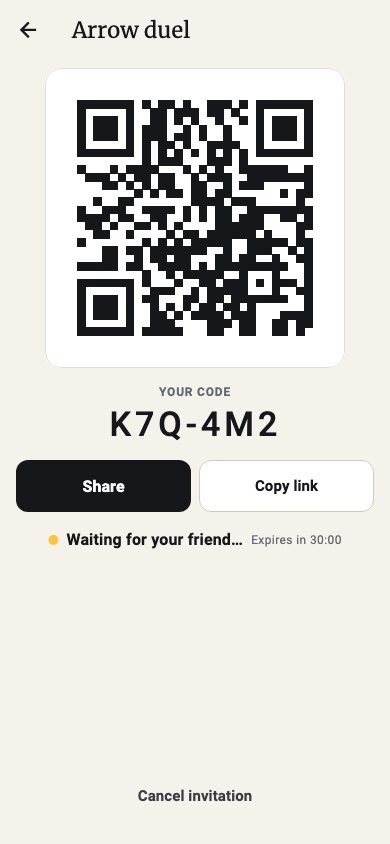
- Show the QR code when you are in the same room. Your friend points a phone camera at your screen and joins.
Free, in the browser, on any device
ClueSprint runs on a phone, a tablet or a computer, with no app to install and no account to create. There are no ads and nothing to buy.
Common questions
Do we need to download an app?
No. ClueSprint runs in the browser on a phone, tablet or computer. Open the page and play; there is nothing to install.
Can we play on two different devices?
Yes. Each of you plays on your own device. Send the co-op invite link or room code when you are ready to solve together. Arrow duel also offers a QR code.
Does my friend need an account?
No. Neither of you has to sign up. Signing in with Google is optional.
Is there a two-player crossword?
Yes. In co-op, you both fill the same grid at the same time. In an Arrow duel, you take turns on a shared grid and score points.
Can I send a Daily challenge before I finish?
The challenge starts from your Daily result. Finish the puzzle first so your friend has a time to beat.